
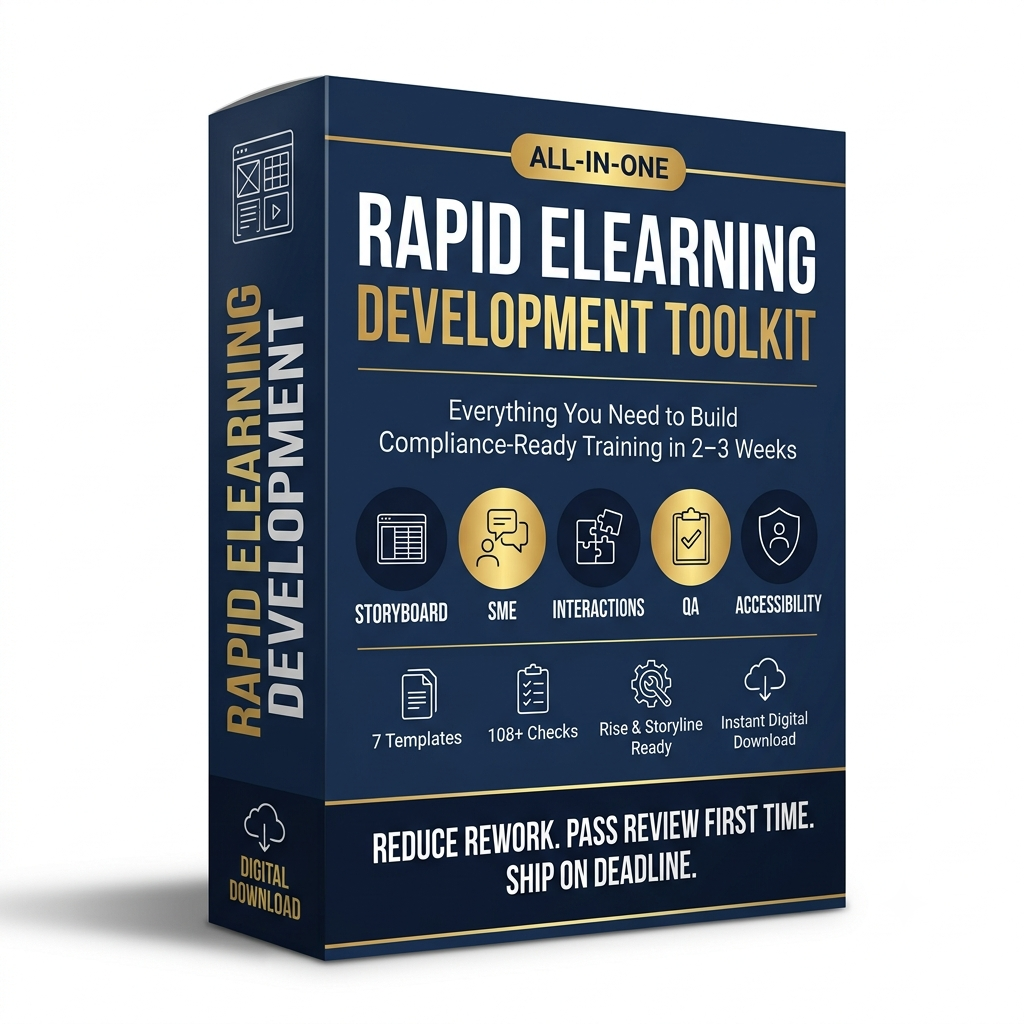
Rapid eLearning Development Toolkit
Stop losing weeks to review cycles and unclear handoffs
Most rapid eLearning timelines don’t blow up because the content is hard — they blow up because Instructional Design, SMEs, Developers, and QA are working from different mental models of “done.” A vague storyboard triggers a clarification call. An SME interview that captures opinions instead of specifics gets rewritten twice. A missing accessibility check gets caught in legal review instead of build. Each of those costs days.
This toolkit is a complete, cross-functional system for rapid, compliance-critical eLearning development — built for teams running 2–3 week production cycles who cannot afford a second review round.
What’s inside
1. Rapid eLearning Storyboard Template (Word)
- 13-column screen-by-screen table: Screen ID, Module/Section, LO ID, Screen Title, On-Screen Content, Narration Script, Visual & UX Direction, Interaction Type, Interaction Logic, Knowledge Check Mapping, Accessibility Requirements, SME Notes, Developer Notes
- Standardized naming conventions (Screen ID, LO ID, file/slide naming) so Dev and QA never need a clarification call
- Closed-list Interaction Type field — no free-typed, unbuildable interaction ideas
- Fully worked 6-screen example: a complete “Preventing Workplace Harassment” compliance module, from intro through knowledge check to completion
- Enforces objective-to-assessment mapping — every Learning Objective must trace to at least one scored item, and every screen must map to a numbered objective
2. SME Interview Guide (Word)
- Two run times: a 15-minute Fast-Track version for scoping calls, and a 60-minute Full Deep-Dive for new curriculum builds or high-risk content
- 8 structured sections: Context & Business Need, Performance Outcomes, Critical Errors & Risks, Real-World Scenarios, Decision Points & Judgment Areas, Exceptions & Edge Cases, Existing Materials Review, Validation & Sign-off
- Every question is written to force a concrete, observable answer instead of an opinion — with a “what a good answer looks like” example for each section
- Built-in facilitator tip for redirecting vague SME answers back to specifics
- Closing SME Validation Checklist with formal sign-off block (name, role, date)
3. Interaction Library (Excel)
- 18 reusable interaction types across four categories: Knowledge Check, Practice, Exploration, and Scenario
- 12 columns per interaction: Category, Best Use Case, Bloom’s Level, Description, Real-World Example, Tool Implementation (Rise / Storyline / Captivate / iSpring / H5P), Complexity, Development Time Estimate, When NOT to Use, Accessibility Considerations, and Reusability Notes
- Covers everything from a 15-minute Multiple Choice Quiz build to a 20-hour Branching Scenario — so scoping and dev-time estimates are grounded in real numbers, not guesses
- Filters out gimmicky interactions in favor of ones that actually hold up under rapid timelines
4. QA Checklist (Excel)
- 50 checklist items across Content, Instructional Design, Functional, and Accessibility categories
- Binary pass/fail criteria on every item — no subjective “looks fine to me” review notes
- Severity tagging (Critical / Major / Minor) plus dedicated Reviewer Notes and Status columns
- Includes a Summary sheet and an Instructions sheet so a new QA reviewer can run the checklist without onboarding
5. Accessibility Checklist — WCAG 2.1 AA for eLearning (Excel)
- 30 checks covering visual design (contrast, text size), keyboard navigation, captions/transcripts, screen reader compatibility, and interaction accessibility
- Tool-specific implementation notes for Rise and Storyline builds
- Severity ratings so teams can triage fixes before a launch deadline instead of fixing everything with equal urgency
6. SCORM/xAPI Publishing & LMS Validation Checklist (Excel)
- 30 checks organized by publishing stage: Pre-Publish, Publish, and Post-Upload
- Covers completion tracking logic, quiz scoring validation, resume behavior, LMS compatibility testing, and packaging settings for SCORM 1.2, SCORM 2004, and xAPI
- Built specifically to catch the tracking and reporting failures that surface after go-live — when they’re most expensive to fix
7. Review Workflow Framework (Word)
- Three time-boxed review stages — ID Review (48 hrs), SME Review (48–72 hrs), QA Review (24–48 hrs) — each with one accountable owner and one exit gate
- Roles & Responsibilities table covering ID, SME, QA, Project/Program Manager, Reviewer Lead, and Business/Compliance Owner
- A mandatory structured feedback template (Location, Issue Type, Severity, Current Content, Required Change, Reviewer/Date) that eliminates vague, unstructured comments — the leading cause of second review rounds
- Escalation rules, version control guidelines, and formal approval criteria
Who this is for
- Instructional designers and L&D teams building compliance, safety, HR, or regulatory training under tight deadlines
- Freelance/agency ID consultants who need a professional, client-ready system out of the box
- L&D teams scaling from ad hoc course builds to a standardized, auditable production process
- QA and accessibility specialists who need defensible, binary pass/fail criteria — not subjective review notes
Why it works
Every document in this toolkit was built around one rule: reduce ambiguity at every handoff. The storyboard forces objective-to-assessment alignment before a single slide is built. The SME guide extracts named, specific answers instead of opinions. The three checklists turn subjective QA into binary pass/fail decisions. And the review framework makes single-round review the default, not the exception. Used together, they compress a typical 5–6 week eLearning build into the 2–3 week timeline compliance training usually demands.
File formats
2 Word documents (.docx) + 4 Excel workbooks (.xlsx). Fully editable — rebrand, adapt, and reuse across unlimited internal projects.
Reviews
There are no reviews yet.