
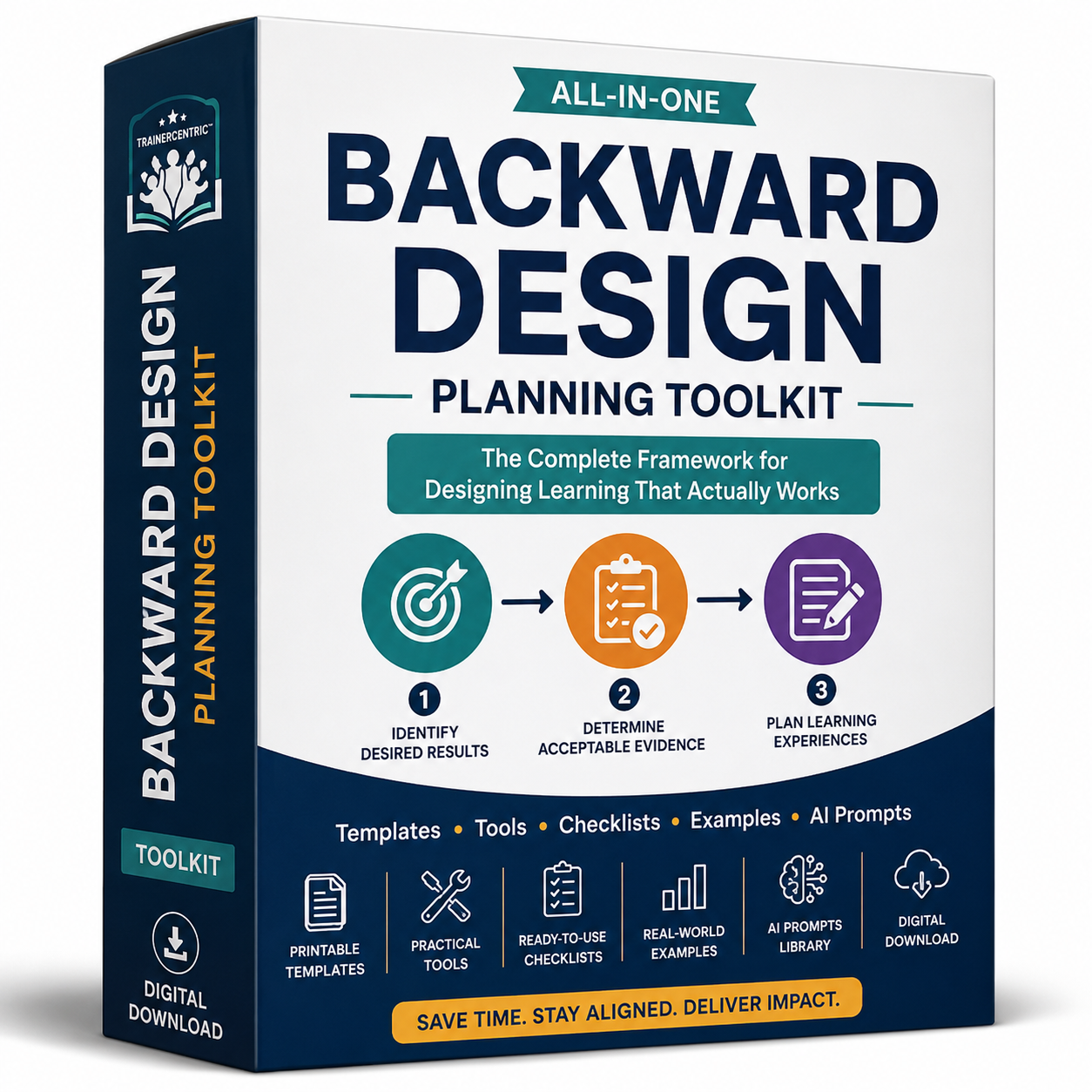
Complete Planning System for Instructional Designers & Educators
Many training programmes and lesson plans begin with slides, activities, or content.
The problem?
Without clearly defined learning outcomes and aligned assessments, even engaging sessions often fail to produce meaningful learning.
The TrainerCentric™ Backward Design Toolkit helps you reverse the planning process.
Instead of asking:
“What should I teach?”
You’ll begin with:
“What should learners be able to do when this learning experience is over?”
From there, you’ll build authentic assessments before planning activities—ensuring every part of your lesson supports meaningful learning.
Whether you’re designing a classroom lesson, university course, onboarding programme, workshop, or corporate training session, this toolkit provides practical resources you can use immediately.
What’s Included
📘 1. Backward Design Planning Workbook (21 Pages)
A guided workbook that walks you through the entire Backward Design process.
Inside you’ll learn how to:
- Identify desired results
- Write enduring understandings
- Create essential questions
- Develop measurable learning objectives
- Plan authentic assessments
- Design engaging learning activities
- Review and improve your final lesson
Perfect for planning individual lessons, workshops, or complete training programmes.
🎯 2. TrainerCentric™ Alignment Test
A practical diagnostic designed to help you evaluate whether your learning objectives, content, activities, and assessments truly align.
Includes:
- 20 diagnostic questions
- Alignment scoring system
- Category breakdown
- Interpretation guide
- Action planning worksheet
Ideal for reviewing both new and existing learning programmes.
🤖 3. 100 AI Prompts for Backward Design
Save hours of planning time with carefully crafted prompts designed specifically for instructional design.
The prompt library covers:
- Learning objectives
- Enduring understandings
- Essential questions
- Performance tasks
- Authentic assessments
- Rubrics
- Learning activities
- Session planning
- Reflection activities
- Course reviews
Compatible with:
- ChatGPT
- Claude
- Gemini
- Microsoft Copilot
- Perplexity
🏆 4. Performance Task Builder
Learn how to create authentic assessments that measure real-world performance instead of simple recall.
Includes:
- GRASPS Framework
- Performance Task Worksheets
- Authentic vs Traditional Assessment Guide
- Corporate Examples
- Classroom Examples
- Assessment Quality Checklist
📊 5. Rubric Builder Workbook
Create professional rubrics that produce fair, consistent, and meaningful assessment results.
Includes guidance on:
- Analytic Rubrics
- Holistic Rubrics
- Rating Scale Rubrics
- Ready-to-use templates
- Practical examples
- Best practice recommendations
Who Is This Toolkit For?
This toolkit is ideal for:
✅ K–12 Teachers
✅ Higher Education Faculty
✅ Corporate Trainers
✅ Instructional Designers
✅ Learning Experience Designers
✅ Learning & Development Professionals
✅ Curriculum Developers
✅ HR Professionals responsible for learning programmes
Why You’ll Love This Toolkit
Unlike generic lesson planning templates, every resource has been designed around the proven Backward Design methodology.
You’ll be able to:
- Build outcome-focused learning experiences
- Improve alignment between objectives, assessments, and activities
- Design authentic performance tasks
- Create better assessment rubrics
- Save planning time using AI responsibly
- Apply the framework across education and workplace learning
Instant Digital Download
This is a digital product.
Immediately after purchase you’ll receive downloadable files that can be used again and again for your own lesson planning and programme design.
No physical product will be shipped.
Frequently Asked Questions
Is this suitable for corporate trainers?
Yes. While Backward Design originated in education, the toolkit includes corporate examples and can be used for onboarding, leadership development, sales training, compliance training, and technical skills programmes.
Can I edit the templates?
Yes. The workbooks are designed for repeated use and can be printed or completed digitally depending on the file format provided.
Is this suitable for beginners?
Absolutely. Every workbook includes explanations, worked examples, and step-by-step guidance, making it suitable for both beginners and experienced instructional designers.
Do I need AI to use this toolkit?
No. The AI Prompt Library is an additional resource designed to speed up your workflow, but the rest of the toolkit works independently.
Reviews
There are no reviews yet.